AI Content
with Human
Control
Human-in-the-loop AI workflow: Gemini generates a draft, saves it to Google Docs, sends it to Telegram for approval. Two Make scenarios, no manual copy-paste.
Type
Concept
Stack
Make · Airtable
Gemini · Google Docs
Scenarios
2
Modules
19
01
Problem
AI writes fast, but publishing without review is risky
AI can produce a first draft in seconds. But that draft needs a human eye before it goes anywhere. The common workaround is a shared doc link, a Slack message, and a status spreadsheet — three places to check instead of one.
This pattern collapses it: one request in, Telegram message out with Approve / Reject buttons. One tap updates everything.
02
Solution
Two scenarios, one approval loop
Scenario 1 — receives a content request via webhook, creates an Airtable record, generates a Gemini AI draft, saves it as a Google Doc, sends a Telegram message with Approve / Reject buttons.
Scenario 2 — handles the button callback: updates Airtable status, renames the Google Drive folder to reflect the decision, sends confirmation to Telegram.
01
Content request
Topic, content type, audience, tone, notes — sent via webhook.
02
Airtable record
Request ID, status "Pending", all metadata saved in one place.
03
Gemini AI draft
Structured prompt → first draft in seconds. Saved to Google Docs, linked in Airtable.
04
Telegram review
Doc link + Approve / Reject inline buttons. One tap = decision made.
05
Status update
Airtable updated, Google Drive folder renamed, confirmation in Telegram.
03
Make scenarios
2 scenarios, 19 modules
Generation scenario runs on every new content request. Approval scenario fires when the Telegram button is tapped.
Integration Webhooks
Webhook → Airtable → Gemini AI → Google Docs → Telegram
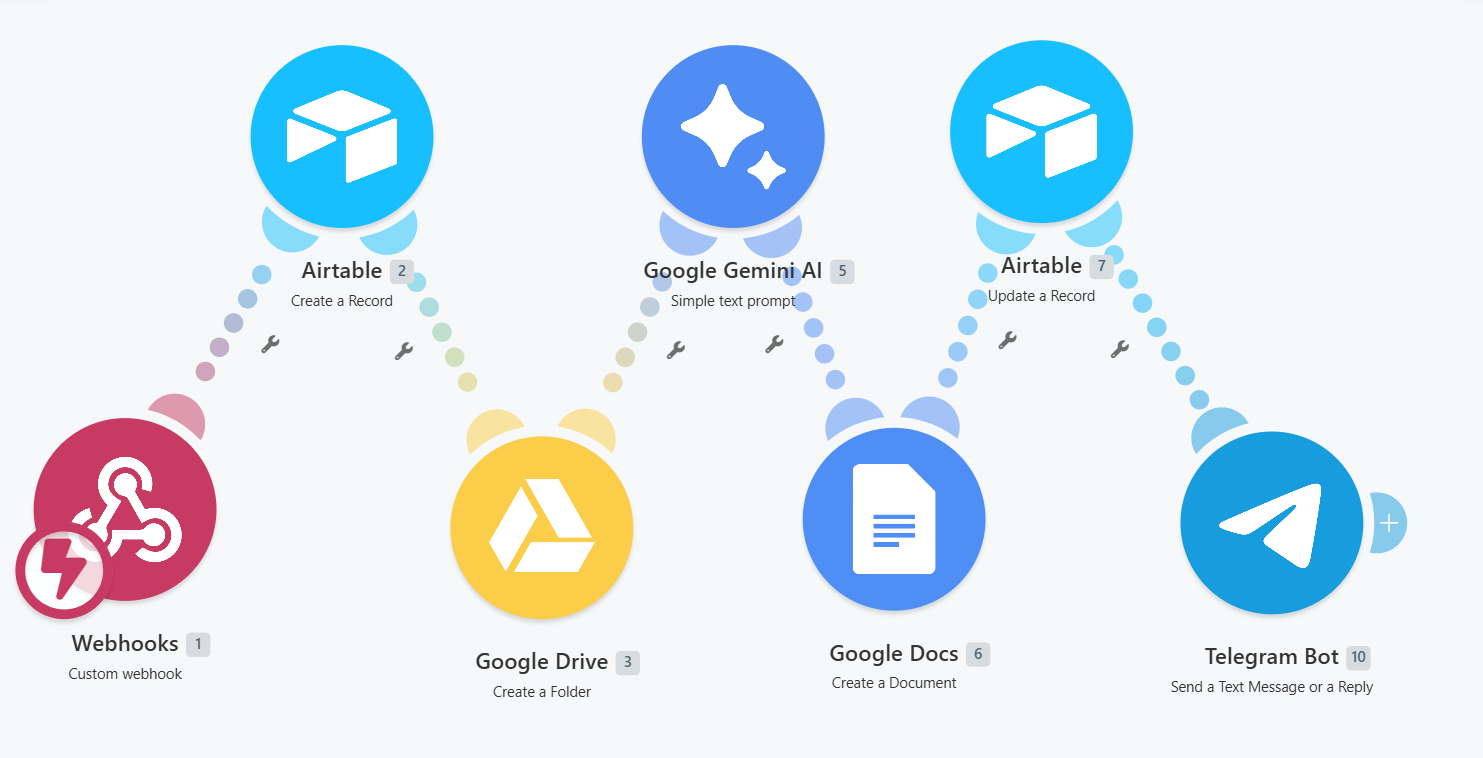
AI Content Approval Workflow 2
Telegram callback → Airtable status → Google Drive rename → Telegram confirm
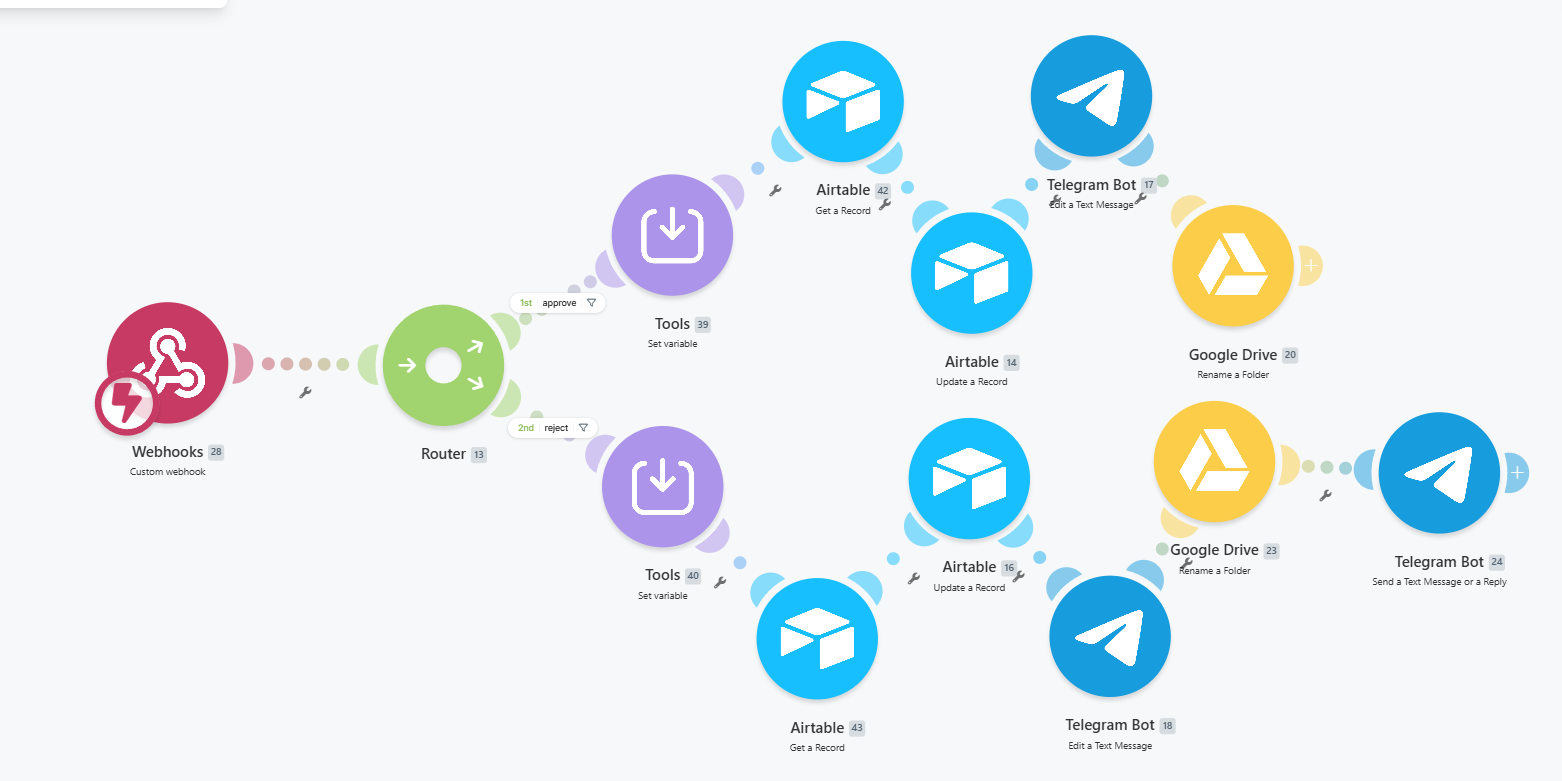
04
Numbers
What the pattern delivers
4
statuses: Pending → Ready → Approved / Rejected
2
Make scenarios: generation + approval handler
1
tap to approve or reject in Telegram
Similar workflow?
Tell me what you need to automate — we'll look at it together.